Category Archives: digital technology

What’s on a good research project site?

I (Clare) thought this post about a research blog would be relevant for our research blog. Terrific suggestions lots of which I will follow.

Tseen Khoo's avatarThe Research Whisperer

Old Story (Photo by Place Light | www.flickr.com/photos/place_light) Old Story (Photo by Place Light | http://www.flickr.com/photos/place_light)

It seems to be the done thing these days to have a webpage about your research project.

In fact, I think it’s fair to say that it’s considered an increasingly essential part of research engagement and dissemination, and – really – it is so easy to set something up these days.

Right?

Well…yes and no. (Stay with me, I’m a humanities scholar and that’s how we answer everything)

I had a great chat recently with a researcher who was wanting to set up an online presence for his project. Part of the task of this presence was to recruit subjects for his PhD study.

It was a valuable conversation for him (or so he tells me…!) and also for me, because it clarified our perceptions of what was necessary, good, and ideal.

What I’m talking about in this post isn’t focused on what specific funding bodies…

View original post 889 more words

“Goodnight Moon” revisited

Many are familiar with the picture book Goodnight Moon by Margaret Wise.

Unknown

In case you are not familiar or need a refresher, here is a link to the story:

http://www.youtube.com/watch?v=9yu_g5x3ZoQ

It is a lovely bedtime story, rhythmical and calming.  Originally published in the late 1940s, and still selling strong today, millions of children have enjoyed the simple tale. It is a classic.

And then came a parody, Goodnight iPad.  Amusingly written by “Ann Droyd” the book is awesome.

Unknown-1

When I (Yiola) first read the book I laughed and laughed and laughed. It is witty and clever while successfully maintaining the rhythm of the original.  It is a powerful message for 21st century learners: know when to unplug!  

Here is a link to the book.

Or for a flashier, more techy version, check out this link:

From the 1940s to today… the images and ideas that need a ‘good night’ have changed  drastically but a child’s wonder and desire to stay up has stayed the same.

I like how the traditional genre of the picture book captures the power of technology in our society so beautifully. A classic communication tool.

I plan to use this text as a closure piece on Technology Day next term.

“Goodnight gadgets everywhere”

Guest Blog: Monica McGlynn Stewart — Tools or Toys?

I (Monica) and my colleague Tiffany MacKay are just starting a new research project exploring oral and visual literacy learning with iPads for 3-5 year olds. Our research will be situated in both childcare centres and public school kindergartens in Ontario. Here is a bit more about our project:

IPadYoung children, aged 3-5 years, are exposed to many forms of digital technology (DT) both inside and outside of their formal learning settings, yet there is little research to guide pedagogical practices for early years literacy teaching. Many registered early childhood educators (RECEs) working in childcare centres are reluctant to introduce DT into their programs, while many RECEs and teachers in Full-Day Kindergarten are using DT in a variety of ways.

Purpose

This research study will introduce educators and students in childcare centres and public kindergarten classrooms to one of two i-Pad applications, 30 Hands or Explain Everything. Both of these applications allow children to easily photograph their work with an i-Pad (e.g., painting, block structure, sand table creation, etc.) and then record their voice explaining what they have created, how they created it, and what they plan to do next, etc. This digital visual and audio file can then be shared with classmates, teachers, or parents via email. Teachers can archive this documentation for assessment and planning purposes.

Objectives

Our objectives include: a) to understand educators’ comfort level and experience using DT for literacy learning with young children; b) to understand children’s use of DT as a means of communicating their work and ideas; c) to explore the value of DT for supporting young children’s literacy development.

Hypothesis

Our hypothesis is that educators will become more comfortable having their students use DT applications that allow for active, creative, and open-ended literacy learning. Furthermore, children will be more motivated to articulate and share their thinking with the i-Pad applications and will become more competent with both their digital technology and oral language skills.

Methods

We will be interviewing the educators before and after the implementation of the software to determine their comfort level and experience with using DT for literacy learning and teaching, their current practices, and in the post-implementation interview, any changes that they observed in their students’ interest and ability with respect to literacy learning. In addition, we will be observing the students in their classes as they use the applications to record and share their work.

10 Jobs That Didn’t Exist 10 Years Ago

In this blog we have had many posts about digital technology. I (Clare) found this article by Meghan Casserly so interesting. Times are a-changing so schools must be a-changing. Who knows what jobs will exist in 10 years from now. Here is the link to the article.

http://www.forbes.com/sites/meghancasserly/2012/05/11/10-jobs-that-didnt-exist-10-years-ago/

Employment trend watchers have been pinpointing the sectors where jobs are anticipated to increase forever—every five years the BLS projects its own outlook and sites like our list what’s become old news: that careers in a handful of sectors (most linked to technology, a growing concern about the environment and an aging population) are on the rise while others continue to falter. But are they new occupations or simply new ways of meeting existing needs?

“I don’t believe that new needs have been created,” says Charles Purdy, senior editor for Monster.com. “We’ve just created new ways and adopted new technologies to get them done.”

Still, each year as twenty-somethings leave college campuses in droves, industries on the rise offer something uniquely appealing: the opportunity to seize brand new positions where competition hasn’t reached critical mass. With that in mind, we scoured jobs data and career sites for the most promising positions in on-the-rise sectors that were only created in the past decade. They’re so new that they didn’t even exist a decade ago, which more than puts your parents out of the running.

App developers can expect an average salary of $93,000 (indeed)

App Developer

The iPhone was introduced in 2007, the Android shortly after. Since then, more than a IPhonemillion apps have been put up for sale in Apples App Store and Android’s Google Play. Consider this: in 2011, Apple AAPL +0.24% pulled in more than $15 billion in revenues from mobile applications, which shrink  programs that used to run only on desktop computers to make them work on mobile devices.

As demand surges for apps to run on iOS, Android and whatever operating system is waiting in the wings, companies are faced with a dearth of talent with the skills to develop for mobile. This means fresh opportunity for programmers and developers to break into a booming market. Currently more than 16,000 listings for mobile app developers are listed on job site indeed.com.

Market Research Data Miner

As customer information becomes more and more vital to the retail experience, businesses are compiling data in droves—and hiring experts to make sense of it. From different datasets including structured (transaction), semi-structured (user behavior) and unstructured (text) information, data analysts and scientists look for behavioral patterns to help retailers and businesses predict future trends or to build recommendation engines or personalized advertising.

Library science is a really hot degree right now,” says Purdy, “And data-mining could be one of the reasons. It’s a helpful knowledge set for someone hoping to manage large amounts of data” Hopeful data-minded candidates can include library science majors, researchers, engineers or applied scientists.

Educational or Admissions Consultants

When a certain set of affluent parents watch their toddler stack his or her first set of blocks, they’re not lost in a moment of cute, they’re strategizing their child’s likeliness of getting into the right pre-school. These moms and dads will stop at nothing to secure the best education for their kids—which for many includes hiring an educational or admissions consultant to help ease the process of interviewing and testing into schools from preschool to college. Admissions consultants can be paid thousands of dollars for their skills—which often include personal connections with school administrators.

Millennial Generational Expert

Generational consultants help companies better understand the changing workforce—and who better to explain the Millennials than a living, breathing member of Generation Y? Companies in every sector and of every size face the challenge of recruiting and developing young professionals to prepare them to be future executives.  Companies can build loyalty in their workforce by engaging in practices that connect directly with their younger employees. All-hands happy hour, anyone?

But this isn’t a role that’s strictly for the young ones. Many generational experts are older employees, who’ve turned their experience with young people into an ability to advise companies on how best to engage, motivate and, yes, placate this often fickle workforce.

Social media manager average salary: $65,000 (indeed)

Facebook logoSocial Media Manager

Making the most of online communities– what we generally call “social” networks–has become an integral part of businesses from small-town coffee shops to behemoths like Amazon and Microsoft MSFT +0.61%, which both employ social media managers in their marketing and advertising departments. “There has been a great big shift in how companies communicate with their customers ,” Purdy says. On job site indeed, for example, there are currently over 11,000 listings for the title. But the term “social media managers” really covers all manner of tasks–from the social-savvy recent grad who mans the Twitter feed to the new wave of marketing strategists who help companies to leverage their social audiences through targeted marketing.

But don’t be fooled that your 10,000 Twitter friends are going to land you a job. “Young people may be more technologically savvy than their older colleagues,” says Purdy, “But technology in the workplace is evolving so quickly that a person can’t think that just because they’re great at Twitter will make them a desirable commodity long-term.”

Chief Listening Officer

One step up from a “social media manager,” (more on that later) the Chief Listening Officer keeps her ears (and eyes) on social channels and real life conversations to keep the company up to speed on what their customers are saying. “Before social media, business was a one way channel of communication. The company talked, we listened,” Purdy says. “Now we’ve become accustomed to two-way conversations. We expect them to listen, and so we see these kinds of roles.”

Beth LaPierre became the first ever Chief Listening Officer in 2010, and while she’s since moved on to other gigs, she spent her time monitoring the more than 300,000 mentions of Kodak on Facebook, Twitter, message forums, YouTube, blogs, and elsewhere on the Web each day, using software from Radian6 and PeopleBrowsr. Then she moved that information to the relevant department. As more and more companies rely on social streams and online exchanges for customer service reasons, the role of the listener will only increase.

Cloud Computing Services

In August 2006 Google GOOG -1.5%’s Eric Schmidt described the company’s approach to software as a service as “cloud computing” at a search engine conference, possibly the first high profile usage of the term. Because it was used in the context of describing Google properties (Gmail, etc. etc.), it became synonymous with online storage and sharing of data. These days, the term has adopted by everyone from Microsoft to start-ups that help moms access coupons in the check-out line. Companies are looking for database managers, engineers and strategists for storing and indexing massive amounts of data—we’re talking petrabytes (one quadrillion bytes) of information.

Elder care salaries average $51,000 (indeed)

Elder Care

As the population ages and baby boomers become grandparents, an increasing amount of attention is being turned to the care of the elderly. Between legal concerns, staffing at residential facilities or consultants hired to facilitate end-of-life issues, jobs in this area are expected to increase. People who have an understanding of the increasingly complex healthcare system in addition to an interest in comfort care are well suited for these roles.  Communication skills are also paramount—as elder care service providers are often tasked with communicating end-of-life issues to their client and his or her family members.

SustainabilitySustainability Expert

“There are obviously some very concrete reasons that companies00even those who aren’t in the green or alternative energy space—would be interested in sustainable practices,” says Purdy. Oftentimes hiring someone into an environmentally-conscious role could be a cost-savings issue, he says, both in terms of lowering power bills or to take advantage of increasing tax rebates for companies committing to sustainability.

A degree in environmental science or business management major would prove useful in these new “green” roles as they often require developing new workflows to increase productivity while lowering the carbon footprint of a business, but specific environmental leadership majors are on the rise.  Projects can include: recycling and waste reduction, supplier sustainability evaluation. Purdy thinks Millennials are a shoe-in: “Look at the next gen of managers and leaders,” he says. “These young people grew up in a culture that valued recycling, valued being green. They’re far more driven by those concerns because they’ve been hearing about it since they were babies. I think we’ll continue to see growth in this area for young employees.”

Sustainability consultants have an average annual salary of $83,000 (indeed.com)

User Experience Design

What is user experience design? Quite simply, experiences created and shaped through technology and how to make them happen. Case in point: the experience of waking up to an alarm clock is very different from the experience created by the rising sun and chirping birds. A user experience designer’s concern is how to mimic the birds-sun experience through technology (see the variety of alarm clocks on the market that grow louder and brighter to wake you gently). Would-be designers should be fluent in Photoshop, understand programming languages like CSS and HTML and feel comfortable taking an idea from sketch to prototype. As far as demand goes, things are looking bright: a recent indeed.com search returned 168,219 job listings.

What Your Students Really Need to Know About Digital Citizenship

I (Clare) read with interest this article about digital citizenship which seems to be a new frontier in using technology. Thought others might find it interesting – for their own safety and in their work with students. The article was published in Edutopia http://www.edutopia.org/blog/digital-citizenship-need-to-know-vicki-davis?utm_source=SilverpopMailing&utm_medium=email&utm_campaign=102914%20enews%20didgectznship%20ngm%20remainder&utm_content=&utm_term=feature1hed&spMailingID=9792002&spUserID=MTM5ODM0MTEwNjMwS0&spJobID=402556106&spReportId=NDAyNTU2MTA2S0

The greatest software invented for human safety is the human brain. It’s time that we start using those brains. We must mix head knowledge with action. In my classroom, I use two essential approaches in the digital citizenship curriculum that I teach: proactive knowledge and experiential knowledge.
Proactive Knowledge
I want my students to know the “9 Key Ps” of digital citizenship. I teach them about these aspects and how to use them. While I go into these Ps in detail in my book Reinventing Writing, here are the basics:
1. Passwords
Do students know how to create a secure password? Do they know that email and online banking should have a higher level of security and never use the same passwords as other sites? Do they have a system like LastPass for remembering passwords, or a secure app where they store this information? (See 10 Important Password Tips Everyone Should Know.)
2. Privacy
Do students know how to protect their private information like address, email, and phone number? Private information can be used to identify you. (I recommend the Common Sense Media Curriculum on this.)
3. Personal Information
While this information (like the number of brothers and sisters you have or your favorite food) can’t be used to identify you, you need to choose who you will share it with.
4. Photographs
Are students aware that some private things may show up in photographs (license plates or street signs), and that they may not want to post those pictures? Do they know how to turn off a geotagging feature? Do they know that some facial recognition software can find them by inserting their latitude and longitude in the picture — even if they aren’t tagged? (See the Location-Based Safety Guide)
5. Property
Do students understand copyright, Creative Commons, and how to generate a license for their own work? Do they respect property rights of those who create intellectual property? Some students will search Google Images and copy anything they see, assuming they have the rights. Sometimes they’ll even cite “Google Images” as the source. We have to teach them that Google Images compiles content from a variety of sources. Students have to go to the source, see if they have permission to use the graphic, and then cite that source.
6. Permission
Do students know how to get permission for work they use, and do they know how to cite it?
7. Protection
Do students understand what viruses, malware, phishing, ransomware, and identity theft are, and how these things work? (See Experiential Knowledge below for tips on this one.)
8. Professionalism
Do students understand the professionalism of academics versus decisions about how they will interact in their social lives? Do they know about netiquette and online grammar? Are they globally competent? Can they understand cultural taboos and recognize cultural disconnects when they happen, and do they have skills for working out problems?
9. Personal Brand
Have students decided about their voice and how they want to be perceived online? Do they realize they have a “digital tattoo” that is almost impossible to erase? Are they intentional about what they share?
Experiential Knowledge
During the year, I’ll touch on each of these 9 Key Ps with lessons and class discussions, but just talking is not enough. Students need experience to become effective digital citizens. Here’s how I give them that:
Truth or Fiction
To protect us from disease, we are inoculated with dead viruses and germs. To protect students from viruses and scams, I do the same thing. Using current scams and cons from Snopes, Truth or Fiction, the Threat Encyclopedia, or the Federal Trade Commission website, I’m always looking for things that sound crazy but are true, or sound true but are false or a scam. I’ll give them to students as they enter class and ask them to be detectives. This opens up conversations of all kinds of scams and tips.
Turn Students into Teachers
Students will create tutorials or presentations exposing common scams and how to protect yourself. By dissecting cons and scams, students become more vigilant themselves. I encourage them to share how a person could detect that something was a scam or con.
Collaborative Learning Communities
For the most powerful learning experiences, students should participate in collaborative learning (like the experiences shared in Flattening Classrooms, Engaging Minds). My students will collaborate with others on projects like Gamifi-ed or the AIC Conflict Simulation (both mentioned in a recent post on game-based learning).
Students need experience sharing and connecting online with others in a variety of environments. We have a classroom Ning where students blog together, and public blogs and a wiki for sharing our work with the world. You can talk about other countries, but when students connect, that is when they learn. You can talk about how students need to type in proper case and not use IM speak, but when their collaborative partner from Germany says they are struggling to understand what’s being typed in your classroom, then your students understand.
Digital Citizenship or Just Citizens?
There are those like expert Anne Collier who think we should drop the word “digital” because we’re really just teaching citizenship. These are the skills and knowledge that students need to navigate the world today.
We must teach these skills and guide students to experience situations where they apply knowledge. Citizenship is what we do to fulfill our role as a citizen. That role starts as soon as we click on the internet.
Vicki Davis @coolcatteacher’s Profile

Mapping Global Internet Connectivity

A world map created by the search engine Shodan displays Internet access across the world. The image graphs the use of devices that are directly connected to the Internet. While it is important to note that “some of the dark spots on the map could be attributed to low population density in those areas,” the map does point to disparities in Internet access world wide. Pamela Engel reporting for the Business Insider explains, the “different colors indicate the density of devices – blue indicates fewer devices and red indicates more devices at a given location”.

Source: http://www.businessinsider.com/this-world-map-shows-every-device-connected-to-the-internet-2014-9#ixzz3HYETj6LS

WorldMap2


Technology in the Classroom

A short video clip that demonstrates how technology is being used in a local high school. Interestingly the purpose for the use of technology is connected with well being and class participation.

I (Yiola) am currently preparing a “technology day” conference that will emphasize and highlight the use of technology is classrooms for our student teachers. I like the examples shared in the clip. I will be sure to share the experiences of technology day that will take place next term.

http://toronto.ctvnews.ca/video?playlistId=1.2072063

All About Me Texts

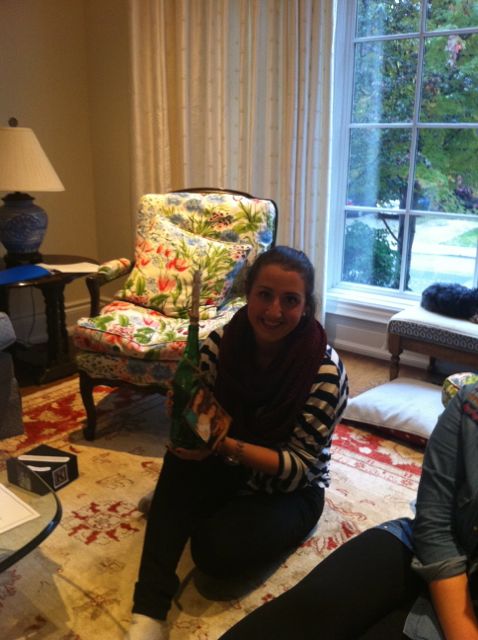
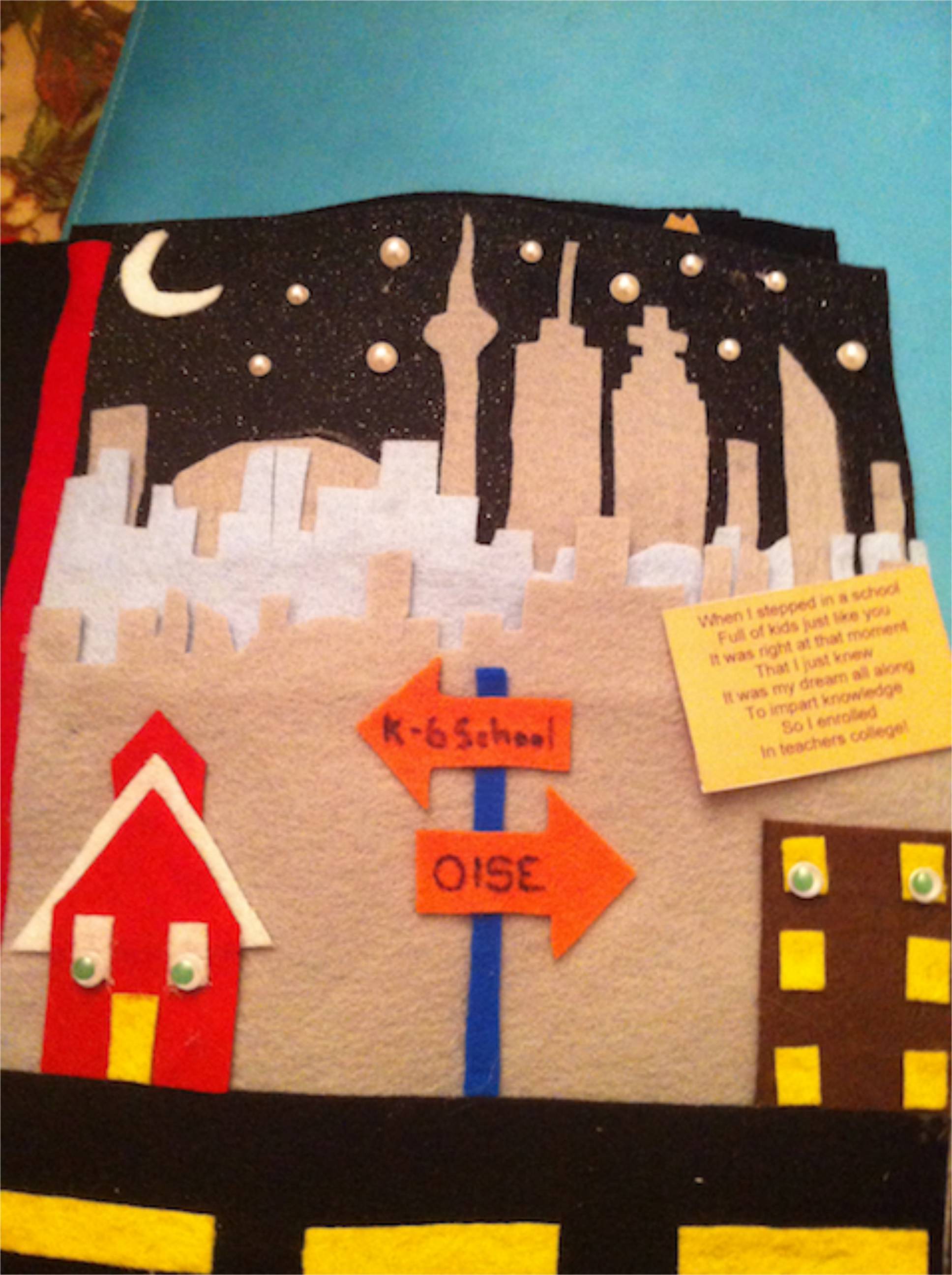
We had an amazing literacy class yesterday. We (Clare and Lydia) along with the student teachers in our P/J and J/I literacy courses shared our All About Me texts. As a class we meet weekly in a designated classroom on campus, but this week class was extra special, as Clare graciously invited us into her home to share our texts in a more personal space. The student teachers engaged a rich array of storytelling formats including – playbills, a message in a bottle, interactive ABC books, puzzles, dual language texts, a personal timeline plotted out with illustrated cityscapes, e-books, comic strips, Pokémon cards, nesting boxes housing artifacts documenting developmental milestone – to share aspects of themselves to an attentive audience of their peers. The depth of thought and creativity communicated through their texts was truly impressive and inspiring. I’m sure the children/youth they’ll be teaching in their upcoming placements will enjoy these texts as much as we all did. It was a truly enjoyable day. Thank you to all the student teachers in our literacy community!!


IMG_1357IMG_1344IMG_1349IMG_1343IMG_1348IMG_3148